still.synth

MIDI chord builder plugin
Two pads play a full chord, always in key. Add a bassline and drums, and it’s the whole band.
One minute, one take
A beat, a chord loop, a bass solo, then a melody on top. Every sound and every screen here is still.synth itself.
Live: play it right here
Two pads, one chord
Pick a shape, switch Rich or Bass, then tap a root to play. This is still.synth's own chord math in A minor, with sound. On a keyboard it’s the plugin’s layout: hold 1–8 for a shape, play roots on D F G H J K L ;
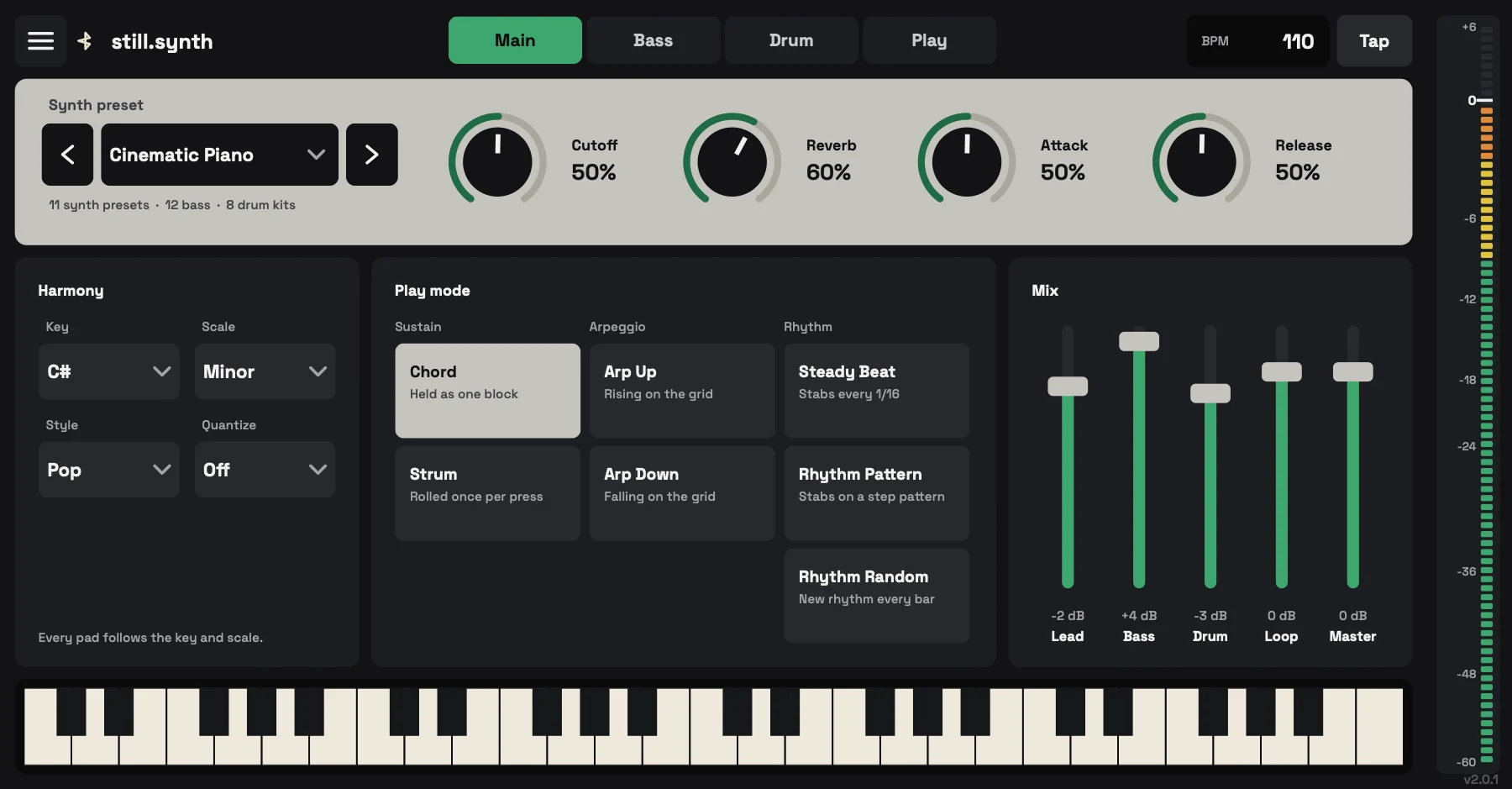
Everything on one panel
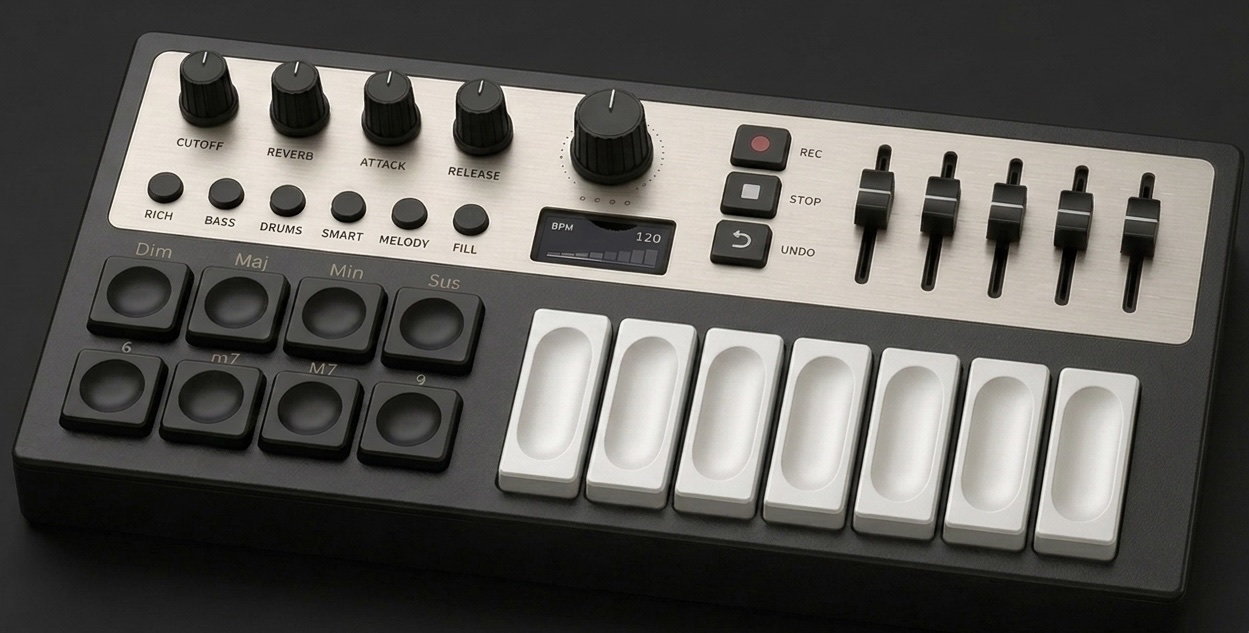
The Play tab holds what you touch during a take. Sound, key and mix sit one tab over.

- Layer switches: Rich, Bass, Drums, Smart, Melody
- Inversion and octave
- Looper: record, undo, stop, save
- Chord shapes
- Root pads, always in key
- Drag the take into your DAW as WAV or MIDI
What it does
Start playing tonight
$39 during beta, $59 after. Your license key arrives by email within a minute of paying.
Get still.synth for $39


Four tabs
10 patterns, 8 kits
One bar of sixteen steps, straight from the drum engine. Pick a pattern; the tall bars are kicks, the middle ones snares, the short ones hi-hats.
The whole band for $39, once.
Beta price, $59 after launch. One payment, no subscription. Activate on three machines, free updates, macOS 11+ (Apple Silicon and Intel) or Windows 10/11. Digital delivery, so all sales are final: see Delivery and Refunds.
Buy still.synth
Coming to iPhone
The same chord, bass and drum engine, rebuilt for iPhone and iPad, with touch play, external MIDI controllers and WAV/MIDI export. No date yet.
Questions
What exactly is still.synth?
A MIDI instrument plugin and Standalone app for macOS and Windows that turns single-key playing into full chords with a matched bassline and drum pattern, quantized and recordable. Not a sample library: a live playing instrument.
Which formats and platforms?
macOS 11 and later (Universal: Apple Silicon and Intel) as VST3, AU and Standalone. Windows 10/11 (64-bit) as VST3 and Standalone. Your download page links both installers after purchase.
Do I need a MIDI keyboard?
No. Play from your computer keyboard: hold 1–8 for a chord shape and play roots on D F G H J K L ; — in the Standalone app and in the plugin while its window is in focus. A MIDI controller is fully supported too: map any pad, key or knob from the Mapping page.
Which DAWs does it work in?
Any macOS or Windows host that loads VST3 (and Audio Units on macOS): Logic Pro, Ableton Live, Cubase, Studio One, Bitwig, FL Studio, Reaper and others. The Standalone app needs no DAW.
Is it a subscription?
No. One payment, yours to keep. The current price is beta pricing and may change later; anyone who buys during beta keeps their license.
How do I get my license?
Automatically. Checkout runs on Stripe, and your key is generated and emailed within a minute of payment. See Delivery.
How many machines?
Three per license. Deactivating one machine frees its slot for another.
Can I get a refund?
It's a digital product delivered instantly, so sales are final. The Refund Policy covers the exceptions: duplicate charges, or a license that won't activate and support can't fix.
Where do my recordings go?
To your own disk, as a WAV and a Standard MIDI File. Nothing is uploaded; still.synth never sends your music anywhere.
Specs
- Formats
- VST3, AU and Standalone
- macOS
- 11 or later, Apple Silicon and Intel
- Windows
- 10 or 11, 64-bit, VST3 and Standalone
- License
- One payment, three machines
- Updates
- Free
- Export
- WAV audio and Standard MIDI Files