still.synth for iPhone
Hold a chord shape, tap a root, and a full chord plays, always in key. Add a bassline and drums, loop it, and the song comes together right on your phone.

$19.99 once. No subscription, no in-app purchases. iPhone with iOS 16 or later.
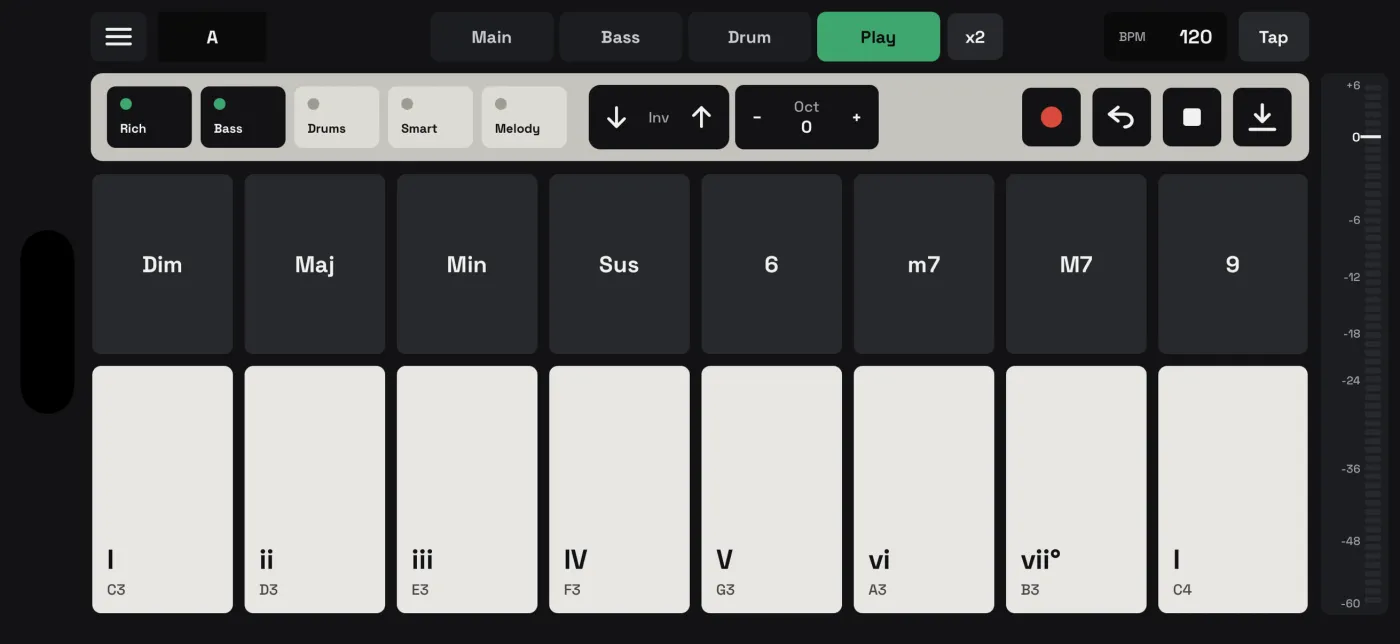
still.synth for iPhone is a chord pad app. Seven root pads follow your key and scale, eight shape pads pick the chord, and a bassline and drums play along. Stack it all on a looper of up to 32 layers, record the session and share it as WAV or MIDI. It can also send what you play to your DAW over Bluetooth MIDI, or be the keys for still.synth on your Mac.
Play
- 7 root pads that follow your key and scale, and 8 chord shapes: Dim, Maj, Min, Sus, 6, m7, M7, 9.
- Hold a chord as a block, strum it, or arpeggiate up or down, always on the beat.
- Rich makes a chord fuller. Smart picks the closest inversion, so chord changes move smoothly. Melody plays single notes.
- Inversion and octave buttons sit right next to the pads.
How a shape and a root turn into a chord is the same as on the computer: how the chord pads work. New to chords? Start with how to play chord progressions on iPhone.
Sound
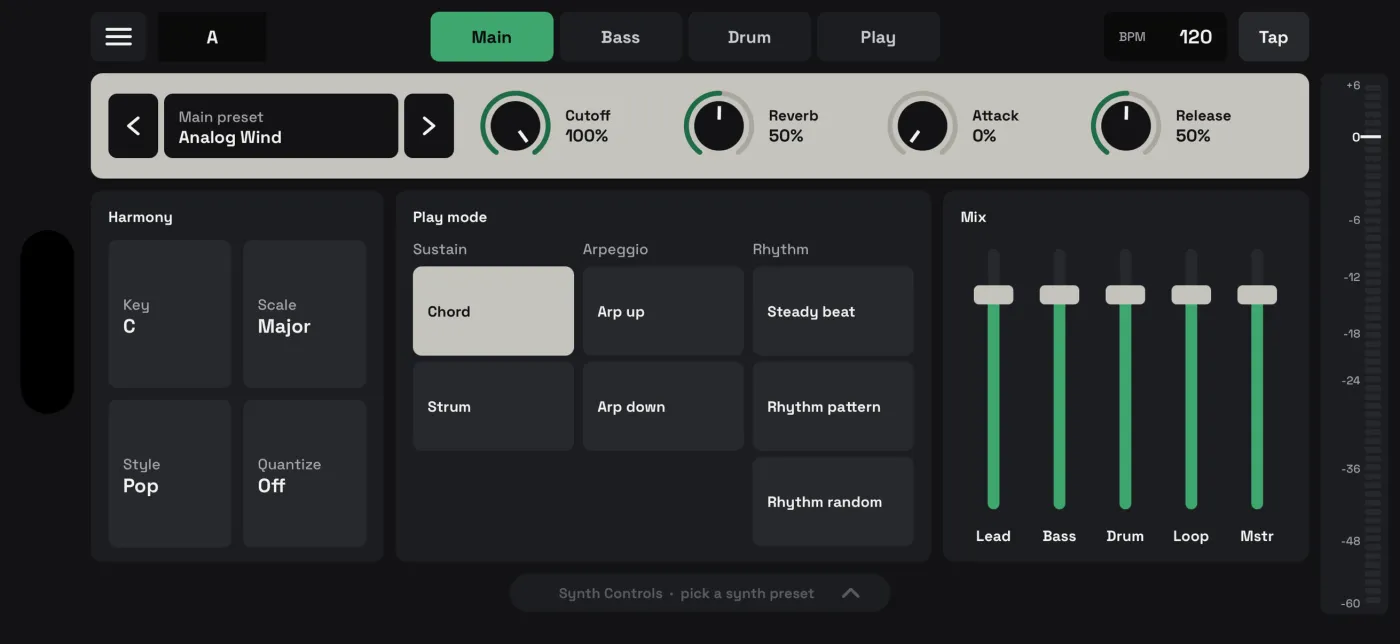
- Chords: 10 sampled sounds and 21 synths.
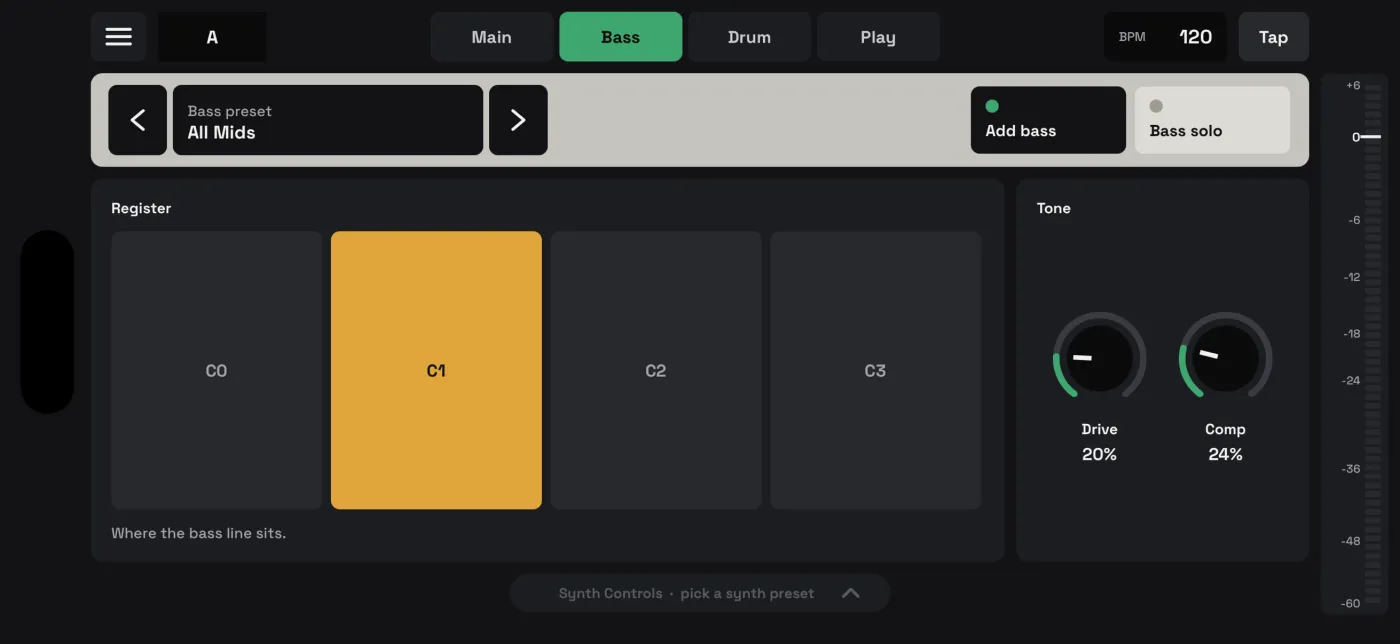
- Bass: 12 sampled basses and 21 synth basses, on a register of its own.
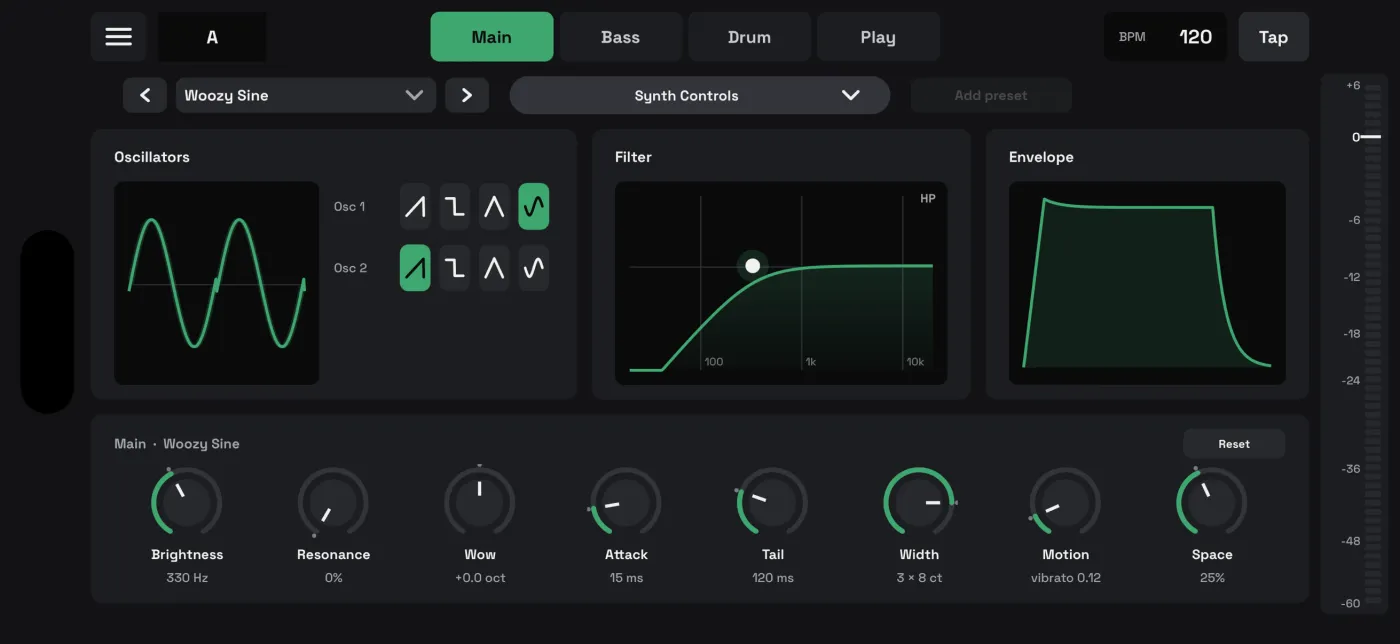
- Any synth opens on its own page: two oscillators, a filter you drag with a finger, eight knobs. Save up to 64 of your own sounds per tab.
Drums
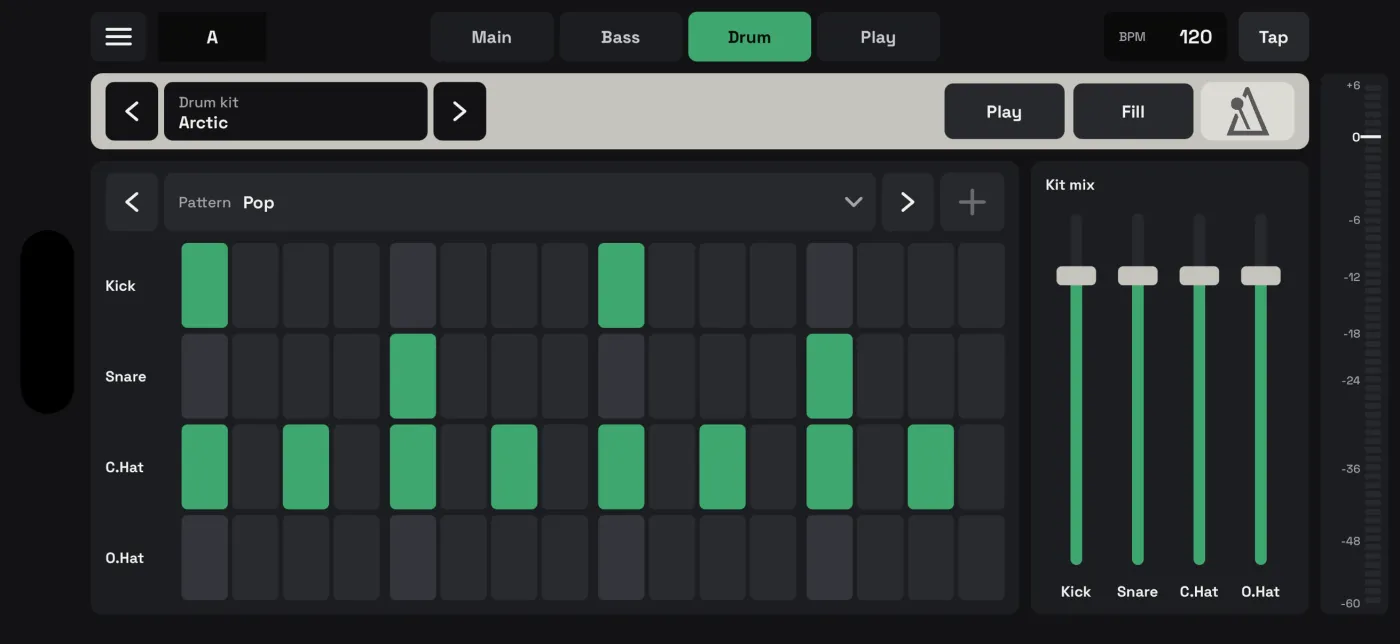
8 drum kits and 10 patterns. A fill lands on the next bar.
Loop and record
- A live looper with up to 32 layers, each one snapped to the bar. Undo the last layer any time.
- Record a session and share it as WAV or MIDI.
The looper works the way it does in the plugin: how the looper works. For songs to try, see the song pages: key, chords and the pads to press.
Connect
- MIDI Out: the phone sends chords on channel 1, bass on 2 and drums on 10 to your computer over Bluetooth MIDI, and your DAW makes the sound. How to set it up: iPhone as a MIDI controller for Logic, Ableton or GarageBand.
- Sync with still.synth on your Mac: the phone becomes the keys, the Mac makes the sound, and the key, presets and knobs follow both ways. The Mac version is a separate purchase, $39 on this site.
Play still.synth on your Mac from your iPhone
- On the iPhone: ☰ → General → Bluetooth MIDI devices, turn on Advertise MIDI Service. The first time, iOS asks for Bluetooth access: allow it.
- In the still.synth app on the Mac, click Options → Audio/MIDI Settings…, press Bluetooth MIDI and click Connect next to your iPhone.
- Back in Audio/MIDI Settings, pick your iPhone twice: as a MIDI input and as the MIDI Output.
- On the iPhone: ☰ → General → Sync. Phone Sync (still.synth iOS) on the Mac switches on by itself, and the phone takes the Mac’s key, scale, presets and knobs.
Now the phone is the keys and the Mac makes the sound, in the Mac’s tempo. Change something on either one and the other follows. Step by step with every setting: the iPhone guide.
What follows along
Key and scale, the Main and Bass presets, the four knobs, all volumes, Rich, Bass, Drums, Smart, Melody and Bass Solo, play mode, style, drum pattern, bass register and chord quantize, both ways. From the phone: the looper’s Record, Undo and Reset, Drum Fill, Tap Tempo, Inv and Oct. The Mac lights the phone’s Record button while it records.
What doesn’t
The synth page’s own knobs and waves, the drum kit, an edited drum grid, a typed-in BPM and the metronome. Session recording works on each device on its own.
Privacy
No account, no ads, no tracking. The app collects no data and doesn’t go online. Bluetooth is used only when you connect MIDI devices or your Mac. More in the privacy policy.
Questions
Is it a subscription?
No. $19.99 once on the App Store. No subscription and no in-app purchases.
Does it work on iPad?
There’s no separate iPad version. The iPhone app installs on an iPad and runs there in an iPhone-sized window.
Do I need still.synth on my computer too?
No. Everything works on the phone on its own. Sync is only for when you also have still.synth on a Mac.
Is it the same as the Mac and Windows version?
You play it the same way: a shape plus a root, with Rich, Smart and Melody, the bassline, the drums and the looper. The computer version is also a VST3 and AU plugin for your DAW. They’re separate purchases: the iPhone app on the App Store, the Mac and Windows version here for $39.
I can’t find it in App Store search.
It’s new on the App Store, and search takes a few days to pick a new app up. Use the direct link: still.synth on the App Store.
The phone plays the Mac, but changes don’t reach the phone (key, preset, the Record light).
The Mac’s MIDI Output isn’t set to the iPhone. Pick it in Options → Audio/MIDI Settings… in the still.synth app on the Mac. After Bluetooth drops and reconnects, check it’s still picked.
My iPhone isn’t in the list on the Mac.
Advertise MIDI Service has to be on on the phone, and the phone has to be connected first: Options → Audio/MIDI Settings… → Bluetooth MIDI → Connect. Then close and reopen the settings window.
Advertise MIDI Service won’t turn on and says “Connected to … Advertising disabled”.
That’s fine: the phone is already connected to your Mac, and iOS stops advertising while it is. To start over, click Disconnect next to the iPhone in the Bluetooth MIDI window on the Mac (Options → Audio/MIDI Settings… → Bluetooth MIDI), then turn Advertise on again.
I picked my own synth on one device and the other one didn’t change.
Your own presets live on each device separately. The other device switches to its own preset in the same slot, and stays put if that slot is empty.
Get it on your iPhone
$19.99 once. On a Mac or a Windows PC? The plugin and Standalone app are $39.